Choose collections
Every collection starts off. Enable only the collections whose product order you want to rotate.
CollectionShuffler does one job: it rotates product order in the Shopify collections you choose.
Install on Shopify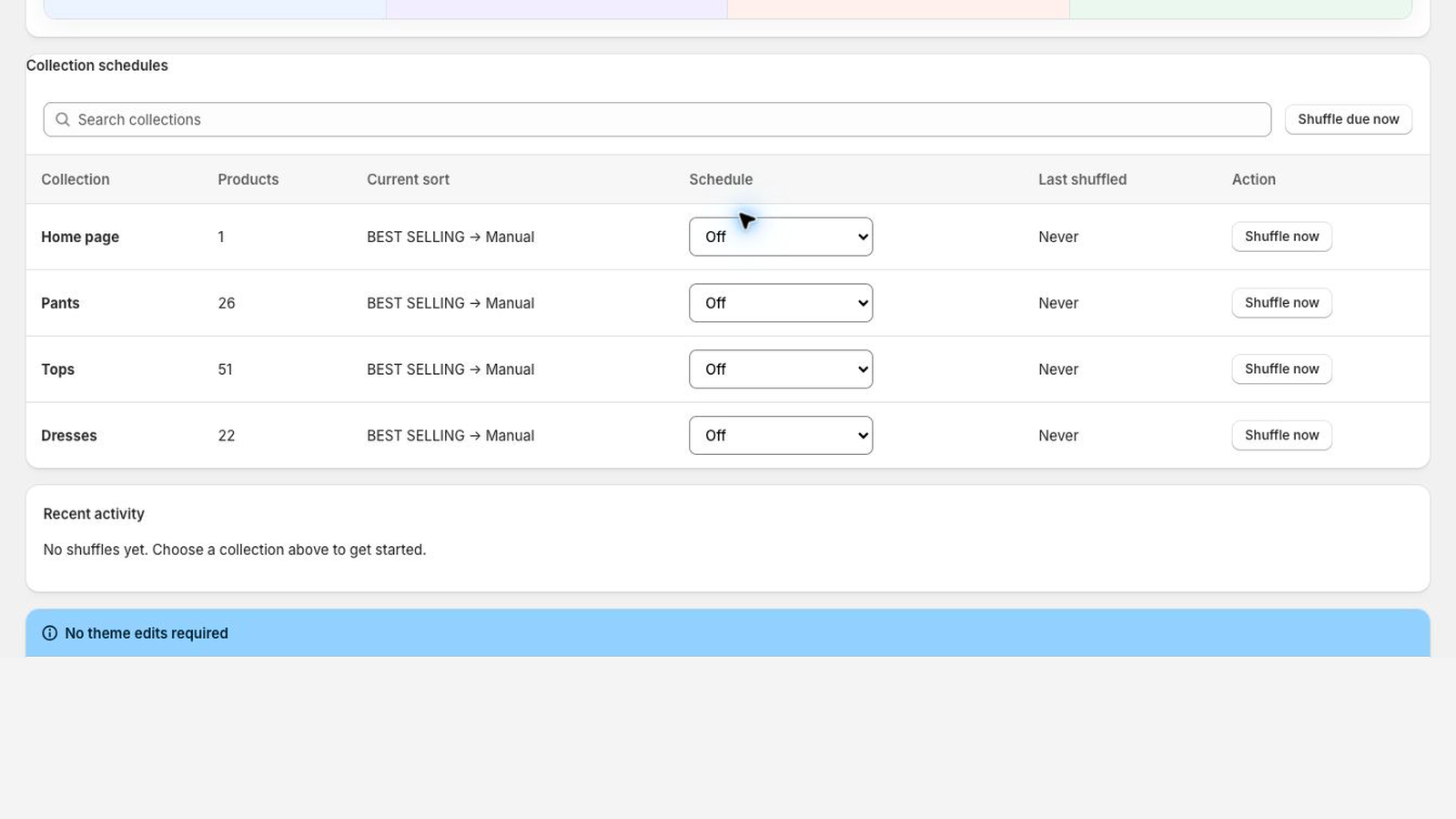
Every collection starts off. Enable only the collections whose product order you want to rotate.
Free supports daily or weekly scheduling. Pro adds hourly through monthly schedules. Scale runs as often as every 15 minutes.
CollectionShuffler uses Shopify’s manual collection ordering. Your theme and product data stay intact.
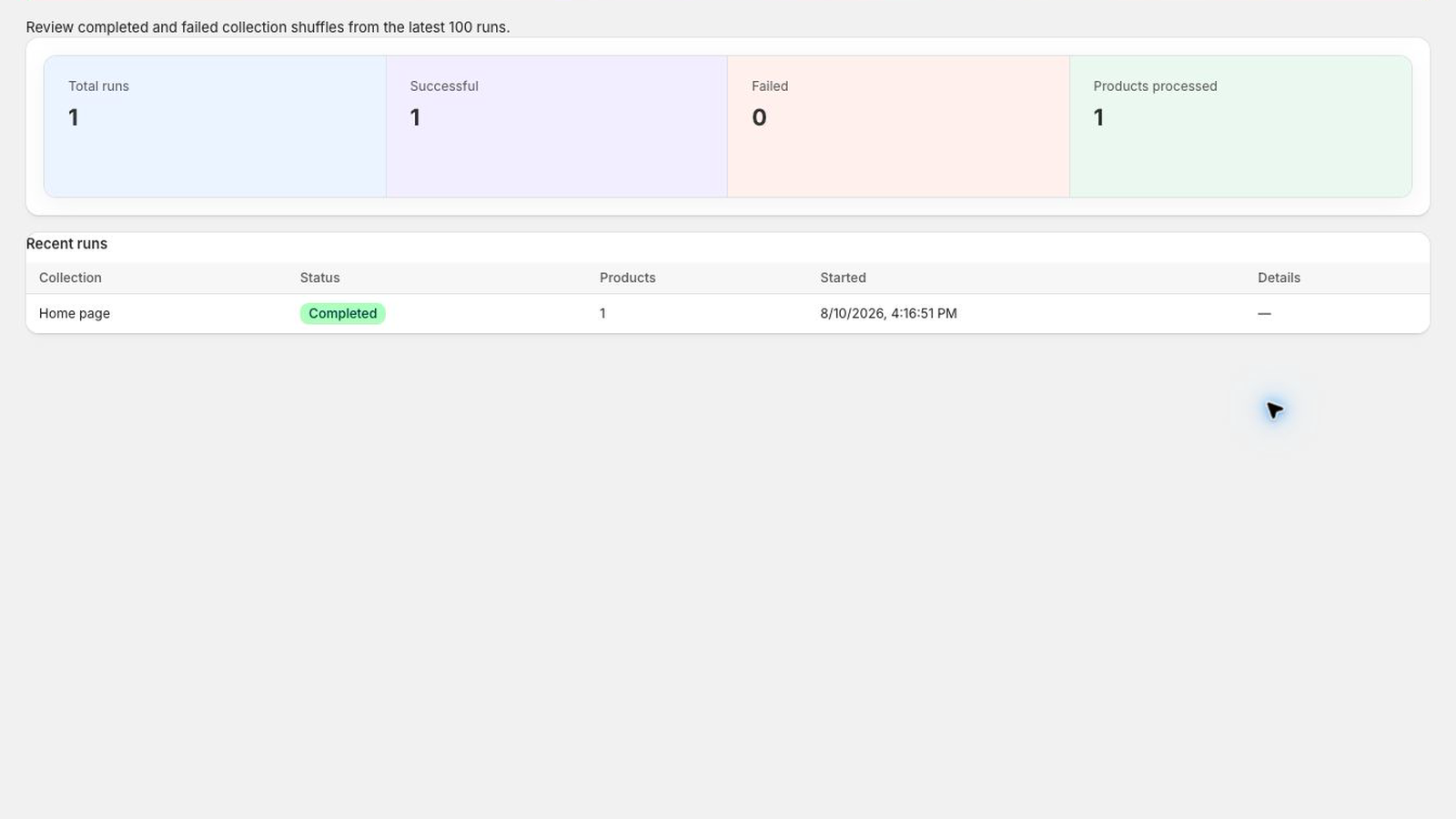
See completed runs, product counts, and useful failure messages from the embedded app.
Activity history shows collection names, processed product counts, status, and timing without making you leave Shopify admin.
Products are reordered through Shopify’s collection APIs and the collection becomes manually sorted.
No Liquid, theme extension, storefront script, or visual block is added to your shop.
The app requests only the product permissions required to read collections and update product order.
Start free with one daily or weekly schedule.
Install on Shopify